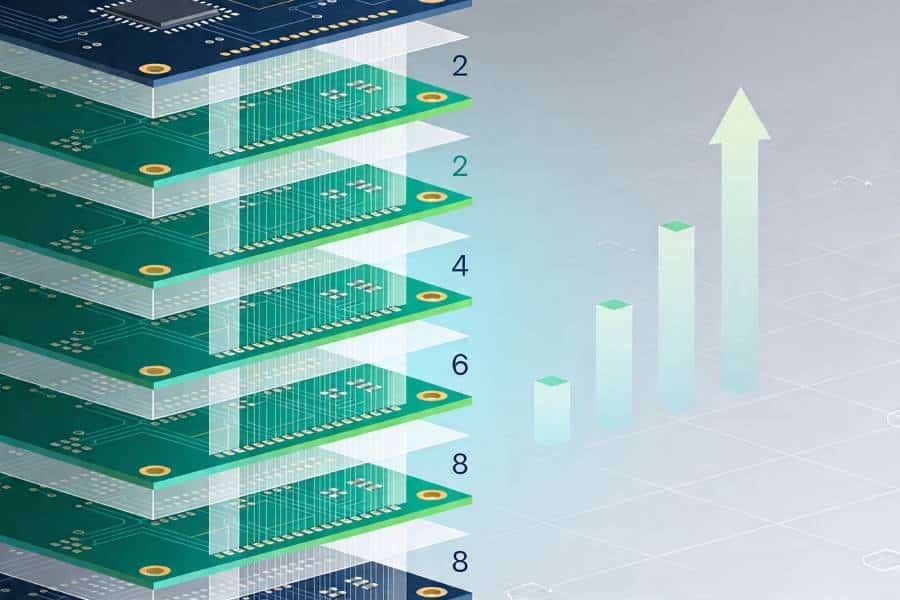
Choosing the right PCB layer count is one of those decisions that quietly determines whether your design will be easy to route, stable in the field, and affordable to manufacture. Many projects start on simple two‑layer boards, only to run into signal‑integrity problems, EMI issues, or layout congestion that force an upgrade to a multilayer stackup later—usually when the schedule is already tight.
Multilayer PCB design offers powerful advantages: better signal integrity, cleaner power distribution, higher routing density, and improved reliability for complex, high‑performance electronics. At the same time, every additional layer affects manufacturing cost, so blindly jumping from 2‑layer to 8‑layer can be just as damaging as staying with a board that is too simple for the job.
In this article, we will clarify what makes a PCB “multilayer,” break down the key advantages of multilayer PCB design, and show when it makes sense to move from 2‑layer to 4‑layer, 6‑layer, or even higher layer counts. We will also explain how layer count impacts manufacturing cost and share practical tips for choosing a stackup that balances performance, reliability, and budget—whether you are working with a local fabricator or a specialized multilayer PCB manufacturer like PCBELEC.
What Is a Multilayer PCB (and How Is It Different from 2-Layer Boards)?
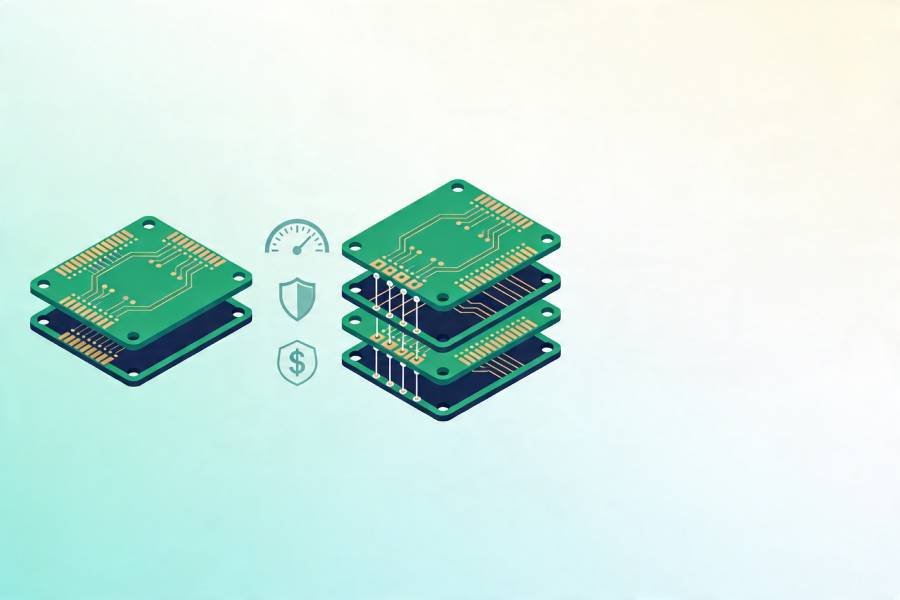
At the most basic level, a multilayer PCB is any printed circuit board that has three or more copper layers laminated together into a single, solid structure. Instead of routing all signals and power rails on just the top and bottom like a two‑layer board, a multilayer PCB sandwiches additional inner copper layers between sheets of insulating dielectric material and bonds everything under heat and pressure. These inner layers can be used as dedicated signal, ground, or power planes, giving designers far more freedom to manage high‑speed traces, return paths, and power distribution.
In contrast, a traditional 2‑layer PCB has only a top and bottom copper layer, separated by a single dielectric core. All routing, reference planes, and power nets must be squeezed onto these two sides, which quickly becomes challenging as component density, BGA pin counts, and signal‑integrity requirements increase. Designers often find themselves fighting congested routes, long and noisy return paths, and EMI issues that are hard to solve without additional layers to work with.
From a manufacturing perspective, the difference is not just one of layer count but also of process complexity. Multilayer PCBs require the fabrication of individual inner layers, oxide or bonding treatments, precise lay‑up of cores and prepregs, multi‑stage lamination cycles, and careful drilling and plating to ensure all vias connect the intended layers. This is why moving from 2‑layer to a 4‑layer or 6‑layer board affects both performance and cost—and why it is important to choose a stackup that truly matches your design’s needs.
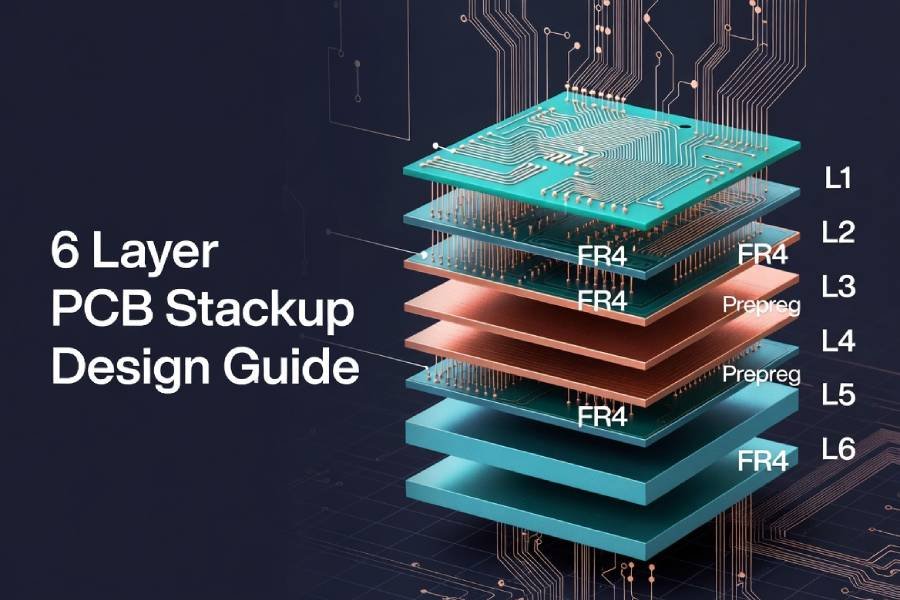
For a more detailed look at how specific stackups are constructed, you can refer to a dedicated 4‑layer PCB stackup guide or a 6‑layer PCB stackup and thickness guide, which show typical layer arrangements and dielectric thicknesses used in real‑world designs.
Key Advantages of Multilayer PCB Design
Once you move beyond very simple products, the advantages of multilayer PCB design become hard to ignore. By adding inner layers for signals and reference planes, you gain tools to solve routing congestion, EMI problems, and power‑integrity issues that are extremely difficult to fix on a 2‑layer board.
Improved Signal Integrity and EMI Performance
One of the biggest reasons engineers choose multilayer PCBs is signal integrity. By placing high‑speed signal layers adjacent to solid ground or power planes, you create well‑defined return paths, tighter impedance control, and reduced loop areas, which directly helps with crosstalk, ringing, and radiated emissions. A simple 4‑layer stackup with signal–ground–power–signal, for example, already provides a much better environment for fast digital interfaces than any two‑layer layout can.
At the same time, dedicated planes help you meet increasingly strict EMI/EMC requirements without relying solely on shielding cans, ferrites, or last‑minute layout hacks. For high‑speed interfaces, memory buses, and fast serial links, moving from a 2‑layer to a well‑designed multilayer PCB often turns an “almost working” prototype into a robust, compliant product.
Higher Routing Density and Smaller Board Size
Multilayer PCBs also unlock much higher routing density. Additional signal layers let you escape high‑pin‑count BGAs, FPGAs, and system‑on‑chip packages without resorting to extreme design rules or convoluted routing. Instead of stretching the board to make room for traces, you can keep the outline compact and push more functionality into the same or smaller footprint.
This is especially important in:
- Compact consumer and IoT devices.
- Space‑constrained industrial controllers.
- High‑channel‑count measurement and communication equipment.
In many cases, the extra PCB layers are offset by savings in enclosure size, mechanical complexity, and assembly costs, because you no longer need multiple smaller boards or complex wiring to achieve the same functionality.
Better Power Distribution and Lower Noise
Good power distribution is just as critical as clean signals, and multilayer PCBs provide a clear advantage here as well. With one or more dedicated power and ground planes, you can create low‑impedance paths for supply rails, support effective decoupling, and dramatically reduce voltage droop and ground bounce under dynamic load conditions.
For designs with multiple voltage domains, high peak currents, or sensitive analog sections, these planes help isolate noisy circuits and keep return currents under control. The result is lower noise, better ADC and DAC performance, fewer unexplained resets, and a more stable system overall—benefits that are very hard to replicate on a cramped two‑layer layout.
Enhanced Reliability and Mechanical Strength
Because multilayer PCBs use laminated structures with multiple copper and dielectric layers, they often provide better mechanical strength and reliability than thin, flexible 2‑layer boards of the same outer dimensions. The additional layers can help distribute thermal and mechanical stress more evenly, which is valuable in applications that face vibration, shock, or repeated temperature cycling.
When combined with proper material choices and manufacturing processes, multilayer designs can also support more robust via structures, controlled copper balancing, and improved long‑term stability of critical nets. This is one reason why automotive, aerospace, and industrial systems frequently rely on multilayer PCBs even when the purely electrical requirements might still be met with a simpler design.
Design Flexibility for High-Speed and Complex Systems
Finally, multilayer PCB design gives you the flexibility needed for modern high‑speed and mixed‑signal systems. As soon as you work with DDR memory, high‑speed serial interfaces, dense FPGAs, or RF sections, it becomes increasingly difficult to meet routing topology, length‑matching, impedance, and isolation requirements on a two‑layer board.
With additional layers, you can:
- Separate noisy digital and sensitive analog/RF regions.
- Dedicate layers to specific buses or interfaces.
- Implement clean reference planes and controlled‑impedance paths for critical signals.
In practice, this often means moving to at least a 4‑layer PCB for serious digital designs and to 6‑layer or 8‑layer stackups for high‑speed interfaces and complex SoC‑based products. The next section will explore when it makes sense to upgrade from 2‑layer to 4‑layer, 6‑layer, or even higher layer counts for your specific project.
When Should You Move from 2-Layer to 4/6/8-Layer PCBs?
Deciding when to move from a 2‑layer PCB to a 4‑layer, 6‑layer, or even 8‑layer board is one of the most practical questions hardware teams face. Staying too long on a simple stackup can create routing bottlenecks, EMI problems, and schedule delays, while upgrading too aggressively can inflate cost without delivering real benefits.
Common Signs That 2-Layer Is No Longer Enough
In many projects, the board itself will “tell you” that 2 layers are not sufficient. Typical warning signs include:
- You cannot complete routing without violating design rules or adding many jumpers and zero‑ohm links.
- High‑speed or sensitive signals are forced into awkward routes with long loops and poor reference planes.
- EMC tests or in‑house measurements repeatedly show radiated or conducted noise problems that are hard to fix with layout tweaks alone.
- You need to add more features or interfaces, but the board outline cannot grow and routing space is already saturated.
If two or more of these are true, it is usually time to evaluate a 4‑layer or 6‑layer stackup rather than fighting the 2‑layer constraint further.
Typical Use Cases for 4-Layer PCBs
A 4‑layer PCB is often the sweet spot between cost and capability. It is the natural next step when a design has outgrown 2 layers but does not yet require very complex routing or many different power domains.
Common scenarios where 4‑layer PCBs make sense include:
- IoT devices and embedded controllers with moderate‑speed digital interfaces.
- Consumer and industrial products that need better EMC performance but have limited budgets.
- Designs with at least one moderate‑speed bus or high‑pin‑count microcontroller or SoC.
A typical 4‑layer PCB stackup (signal–ground–power–signal, or variations of it) gives you solid reference planes for most signals and much better power distribution than any 2‑layer layout. For a deeper dive into specific layer arrangements and thickness options, you can link to your dedicated 4‑layer PCB stackup guide (link to your 4‑Layer PCB article).
When 6-Layer PCBs Make More Sense
As designs become more complex—with faster interfaces, multiple power rails, and higher component density—a 6‑layer PCB often becomes the more appropriate baseline. The extra layers give you more freedom to separate noisy and sensitive signals, add additional reference planes, and manage multiple high‑speed buses cleanly.
Typical triggers for moving to 6 layers include:
- Use of DDR memory, high‑speed serial links, or dense FPGA/SoC devices with many differential pairs.
- Multiple voltage domains that require clean power distribution and good isolation.
- Stricter EMI/EMC targets or challenging form‑factor constraints that make routing more difficult.
Well‑designed 6‑layer stackups can, for example, dedicate two inner layers to ground and power, leaving four layers for routing while still providing solid reference planes for most signals. To see concrete examples of such structures, you can refer to 6‑layer PCB stackup and thickness guide.
8-Layer and Above for High-Density, High-Performance Systems
8‑layer and higher‑layer‑count PCBs are typically reserved for the most demanding applications. At this point, the board is not just a carrier but an integral part of the system’s signal‑integrity, power‑integrity, and EMC strategy.
You will usually see 8‑layer or 10‑layer boards in:
- Telecom and networking equipment with many high‑speed channels.
- High‑performance computing, servers, and data‑center hardware.
- Complex industrial, medical, and aerospace systems with tight reliability and compliance requirements.
- These stackups often include multiple signal layers interleaved with several ground and power planes, as well as specialized routing layers for high‑speed interfaces and sensitive analog or RF sections. Because the cost jump from 6 layers to 8+ can be significant, it is important to involve your PCB manufacturer early to determine whether you truly need those extra layers or whether careful optimization of a 6‑layer design will meet your requirements.
In the next section, we will look more closely at how PCB layer count impacts manufacturing cost, so you can quantify the trade‑offs between 2‑layer, 4‑layer, 6‑layer, and higher‑layer designs instead of relying on guesswork.
How PCB Layer Count Impacts Manufacturing Cost
Every additional PCB layer gives you more routing and design flexibility, but it also introduces extra material, process steps, and yield risks that show up directly in the manufacturing cost. Understanding how layer count affects pricing helps you choose a stackup that meets performance requirements without overspending on unnecessary complexity.
Why Adding Layers Increases Cost
From a fabricator’s perspective, moving from 2 layers to 4, 6, or 8+ layers is not just “turning up a number in CAD.” Each extra pair of copper layers typically requires:
- Additional copper‑clad cores and prepreg materials.
- Extra inner‑layer imaging, etching, and AOI inspection steps.
- More complex lay‑up and multi‑stage lamination cycles.
- Tighter drilling and registration tolerances, especially for blind or buried vias.
These factors increase both material consumption and processing time, and they can have a negative impact on yield if not carefully controlled. The result is that a 4‑layer PCB generally costs noticeably more than a comparable 2‑layer board, and a 6‑layer or 8‑layer board costs more again—sometimes significantly so, depending on stackup and features.
Cost Trend from 2-Layer to 4/6/8+ Layers
While exact numbers vary by board size, quantity, and manufacturer, the relative cost trend is consistent across the industry. A simplified view looks like this:
- 2‑layer PCB: Lowest base cost, suitable for simple, low‑density designs.
- 4‑layer PCB: Clear cost increase over 2‑layer, but often the best value for many modern digital and mixed‑signal products.
- 6‑layer PCB: Further cost increase, reflecting more materials, lamination steps, and potentially more complex via structures.
- 8‑layer and above: Reserved for high‑end applications; per‑unit prices and NRE/tooling charges can rise steeply if volumes are modest.
In many real‑world projects, moving from 2 layers to 4 layers is justified by the gains in signal integrity, routing clarity, and time‑to‑market. The jump from 4 to 6 or 8 layers, however, should usually be driven by specific technical needs—such as high‑speed memory buses, dense FPGAs, or tight EMC targets—rather than by habit.
Other Cost Drivers Beyond Layer Count
Layer count is only one part of the cost equation. Several other factors can have as much or more impact on the final price of your multilayer PCB:
- Board size and panel utilization: Larger boards or inefficient panelization waste material and reduce throughput.
- Copper thickness: Heavy copper or uneven copper distribution can require extra plating and careful balancing.
- Controlled impedance and tight tolerances: Narrow trace/space and strict dielectric thickness control increase process complexity.
- Via technology: Blind/buried vias, microvias, and via‑in‑pad structures add drilling and lamination steps and may reduce yield.
- Material choice: High‑Tg, low‑loss, or RF materials cost more than standard FR‑4 and may need special handling.
This means that a well‑optimized 4‑layer or 6‑layer design with standard materials and sensible design rules can sometimes be more cost‑effective than a poorly optimized stackup with exotic requirements—even at the same nominal layer count.
How to Choose the “Right Enough” Layer Count
The goal is not to minimize layer count at any cost, nor to maximize it because “more is better.” Instead, you want a “right enough” layer count that:
- Provides solid reference planes for your most critical signals.
- Gives you enough routing channels to avoid extreme design rules or complicated workarounds.
- Supports clean power distribution and EMC performance.
- Keeps material, process, and yield‑related costs within your product’s budget.
In practice, this often means:
- Starting with 4 layers for most serious digital designs and only moving to 6 or 8 layers when specific technical requirements demand it.
- Talking to your PCB manufacturer early about alternative stackups that might reduce cost without compromising performance.
- Using DFM feedback to eliminate unnecessary complexity, such as overly aggressive via structures or non‑standard thicknesses.
If you work with a multilayer‑focused supplier like PCBELEC, you can share your preliminary stackup, layer count, and key requirements and ask for cost‑performance suggestions (for example, whether a carefully designed 4‑layer or 6‑layer board could meet your goals instead of jumping straight to an 8‑layer design).
Practical Tips for Designing Cost-Effective Multilayer PCBs
Knowing the theory is helpful, but the real savings come from practical design choices that make your multilayer PCB easier and cheaper to fabricate. With a few deliberate decisions—often made early in the design—you can capture most of the performance benefits of multilayer boards without driving costs unnecessarily high.
Standardize on Proven Stackups and Thicknesses
One of the simplest ways to control cost is to standardize on stackups and thicknesses that your fabricator already builds frequently. Common 4‑layer and 6‑layer constructions with well‑known dielectric thicknesses, core/prepreg combinations, and copper weights tend to have:
- Better yields and more stable processes.
- Lower NRE/tooling effort and fewer surprises during manufacturing.
- Faster quoting and lead times, because they fit existing process windows.
Where possible, start from your manufacturer’s recommended 4‑layer PCB stackup or 6‑layer PCB stackup rather than inventing a completely custom configuration for every project. This gives you predictable impedance options and material selections with minimal extra cost.
Talk to Your Fabricator Early About Layer Count Options
A second, often overlooked tactic is to involve your PCB manufacturer early in the design process, while you are still deciding on layer count and stackup. Sharing preliminary information—such as estimated layer count, key interfaces, target board size, and any special requirements—allows the fabricator to:
- Suggest alternative stackups that may reduce layer count or simplify lamination.
- Recommend design rules that balance routing freedom and manufacturability.
- Flag cost drivers such as non‑standard materials, unusual thicknesses, or aggressive via structures before they are locked in.
This kind of early collaboration is especially useful with multilayer‑focused suppliers like PCBELEC, who can draw on experience from many similar projects to help you avoid over‑engineering the board.
Use DFM Feedback to Remove Unnecessary Complexity
Even if you already chose a reasonable layer count, DFM (Design for Manufacturability) feedback can often reveal opportunities to simplify the design and save cost. For example, a DFM review might show that:
- Some blind/buried vias are not strictly necessary and could be replaced with through‑holes.
- Copper balancing on inner layers can be improved to reduce warpage risk.
- Certain tight tolerances (trace/space, drill sizes, annular rings) can be relaxed without affecting performance.
By iterating on these suggestions—ideally before releasing final Gerber or ODB++ data—you can keep the benefits of multilayer PCB design while still fitting within your cost and yield targets. If your fabricator offers formal DFM reports or engineering consultations, make a habit of using them on every new multilayer project; it is one of the most effective ways to avoid expensive surprises later.
Conclusion: Balance Performance, Reliability, and Cost
Multilayer PCB design gives you powerful tools to solve real engineering problems—better signal integrity, cleaner power distribution, higher routing density, and improved reliability for complex, high‑performance products. At the same time, every extra layer adds material and process complexity, so the best results come from choosing a layer count that is “right enough” for your electrical and mechanical needs rather than simply maximized or minimized.
For many modern designs, that means using 4‑layer PCBs as a practical baseline and moving to 6‑layer or 8‑layer stackups only when high‑speed interfaces, dense BGAs, strict EMC targets, or demanding environments truly require it. By standardizing on proven stackups, involving your fabricator early, and acting on DFM feedback, you can capture most of the advantages of multilayer PCB design while keeping manufacturing cost and risk under control.
If you are currently deciding whether to stay on 2 layers, move to 4 or 6 layers, or commit to a higher‑layer‑count design, consider sharing your preliminary stackup and requirements with a multilayer‑focused manufacturer like PCBELEC. Our engineering team can review your design, suggest cost‑effective layer‑count options, and provide a no‑obligation quote so you can make an informed decision that balances performance, reliability, and budget for your next PCB.